
CREATE OR JOIN A TEAM
Are you participating in Bowvember with your family, friends, colleagues or organization? Find all the steps you need to follow here.
IMPORTANT: Please note that to create or join a team, each person must first complete their individual registration.
Why create a team?
Bowvember is first and foremost a movement of solidarity and awareness for prostate cancer. By creating a team, you can mobilize your colleagues, company, organization or community around the cause and join forces to raise funds for PROCURE.
The funds raised by each member are combined to make up the team’s total fundraising amount. You can invite as many people as you like to join your team.
You do not have to create or join a team to participate in Bowvember. You can also register as an individual ambassador.
How to create a team
- First, register as a Bowvember ambassador. (Click here to access the registration form)
- Once you have completed the registration form and paid the registration fee, you will be able to create a team.
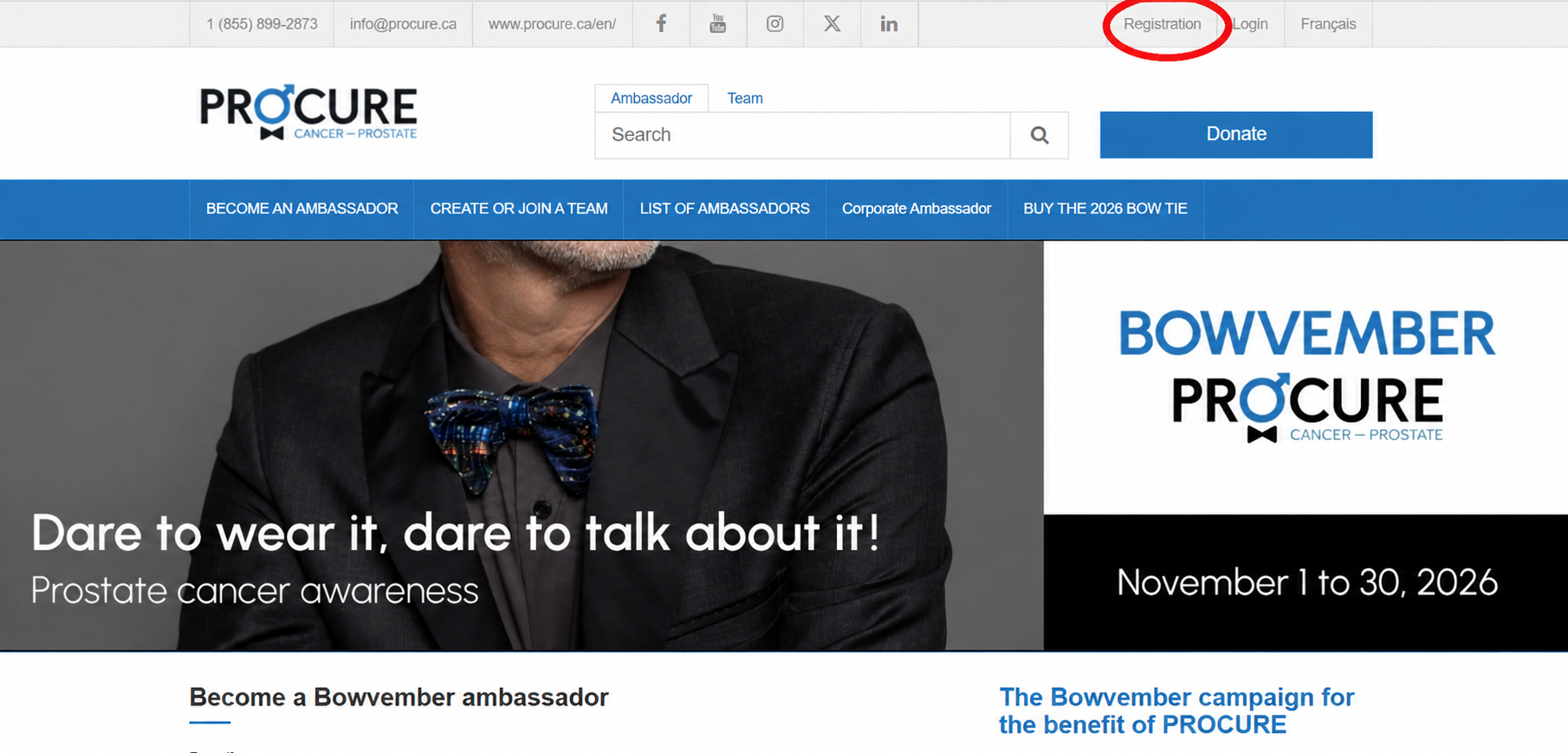
- Log in to your profile by clicking “Login” in the top menu.
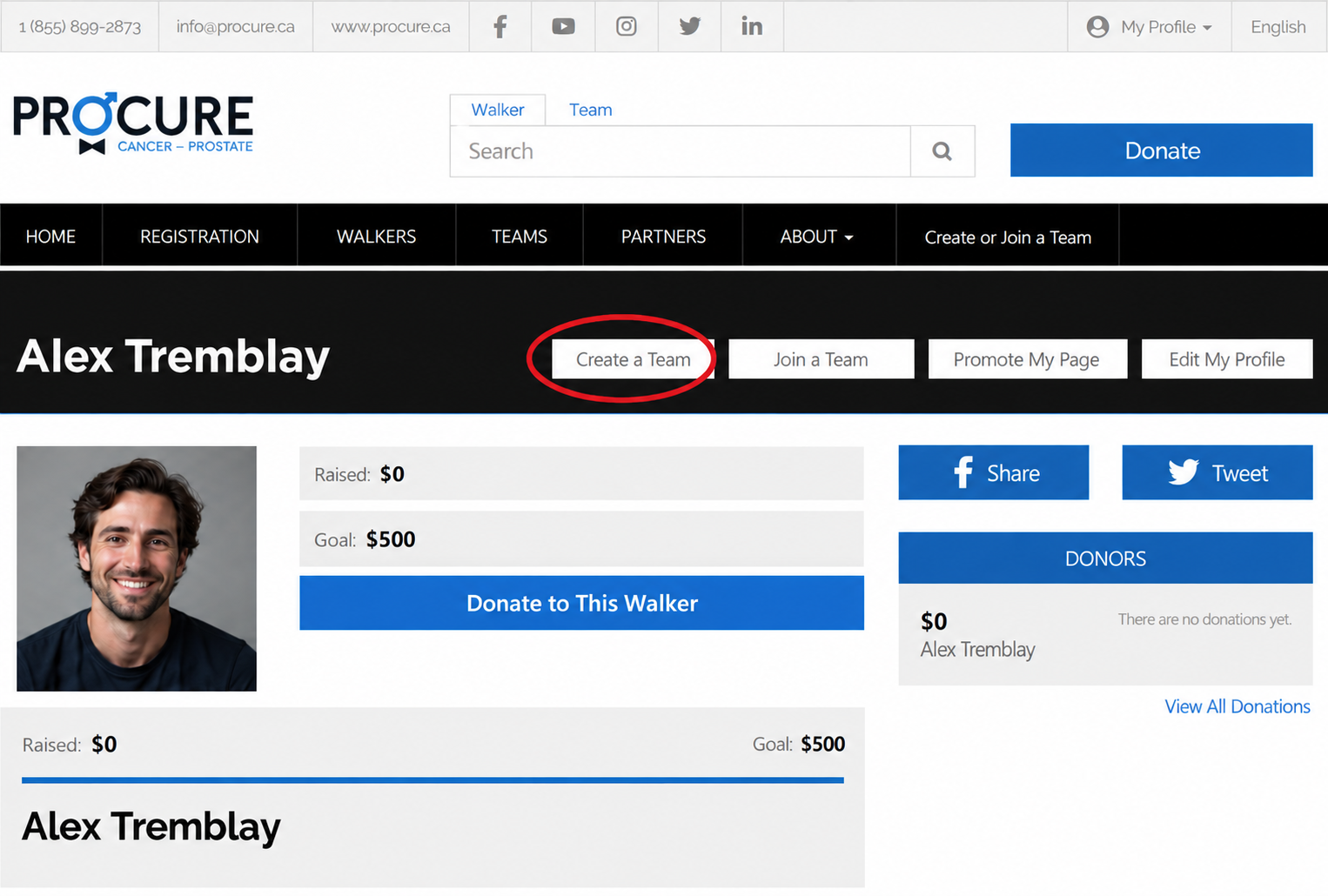
- From your profile, click “Create a team.”
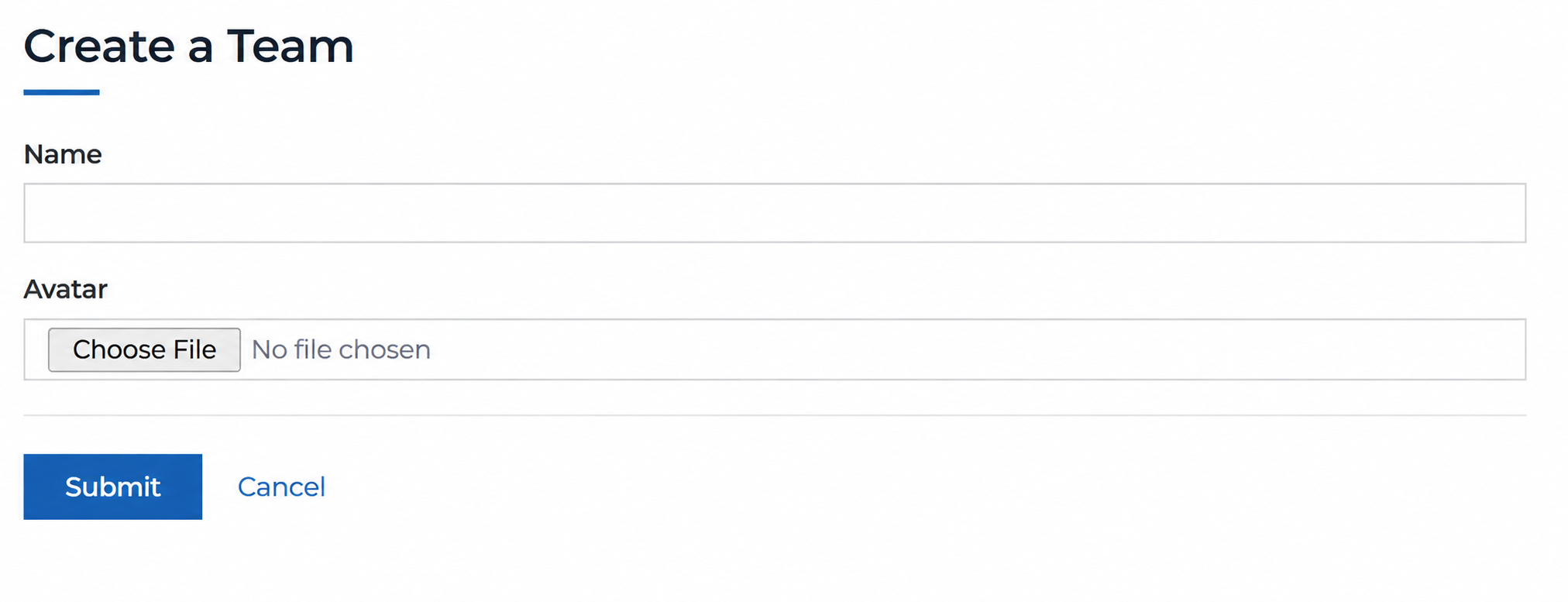
- Fill in the requested information (e.g., your team name). Feel free to add a profile picture (avatar) to represent your team!
How to invite someone to join your team
- Find your team name in the list of teams.
- Click on your team name to access its page.
- Copy the URL from your browser.
- Paste the URL into your invitation email or send it by message to the people you would like to invite to join your team.
- The person you invite must first register as an ambassador and then follow the steps below to join your team.
How to join a team
- First, register as a Bowvember ambassador (Click HERE to access the registration form).
- Once you have completed the registration form and paid the registration fee, you will be able to join an existing team.
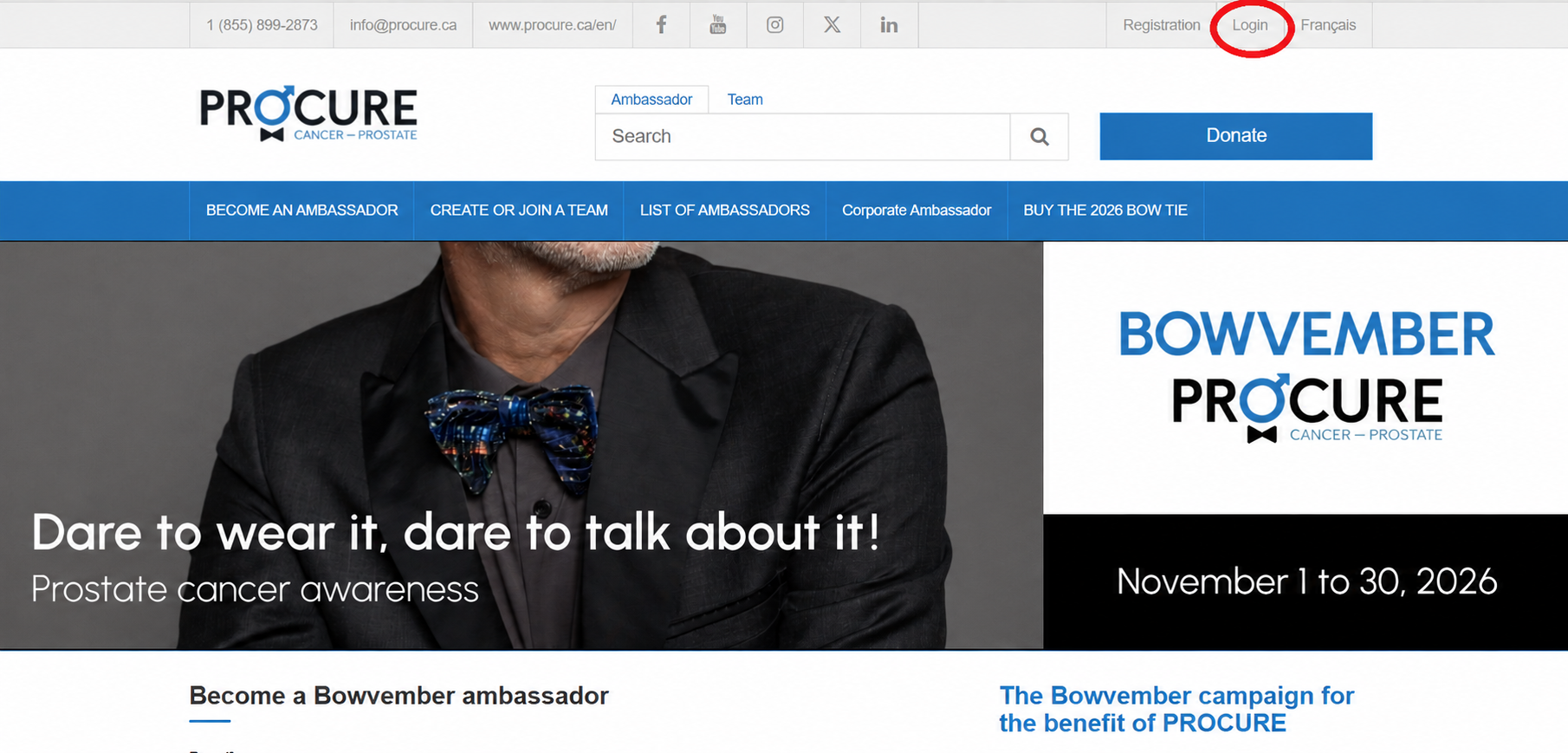
- Log in to your profile by clicking “Login” in the top menu.
- Click the “Join a team” button.
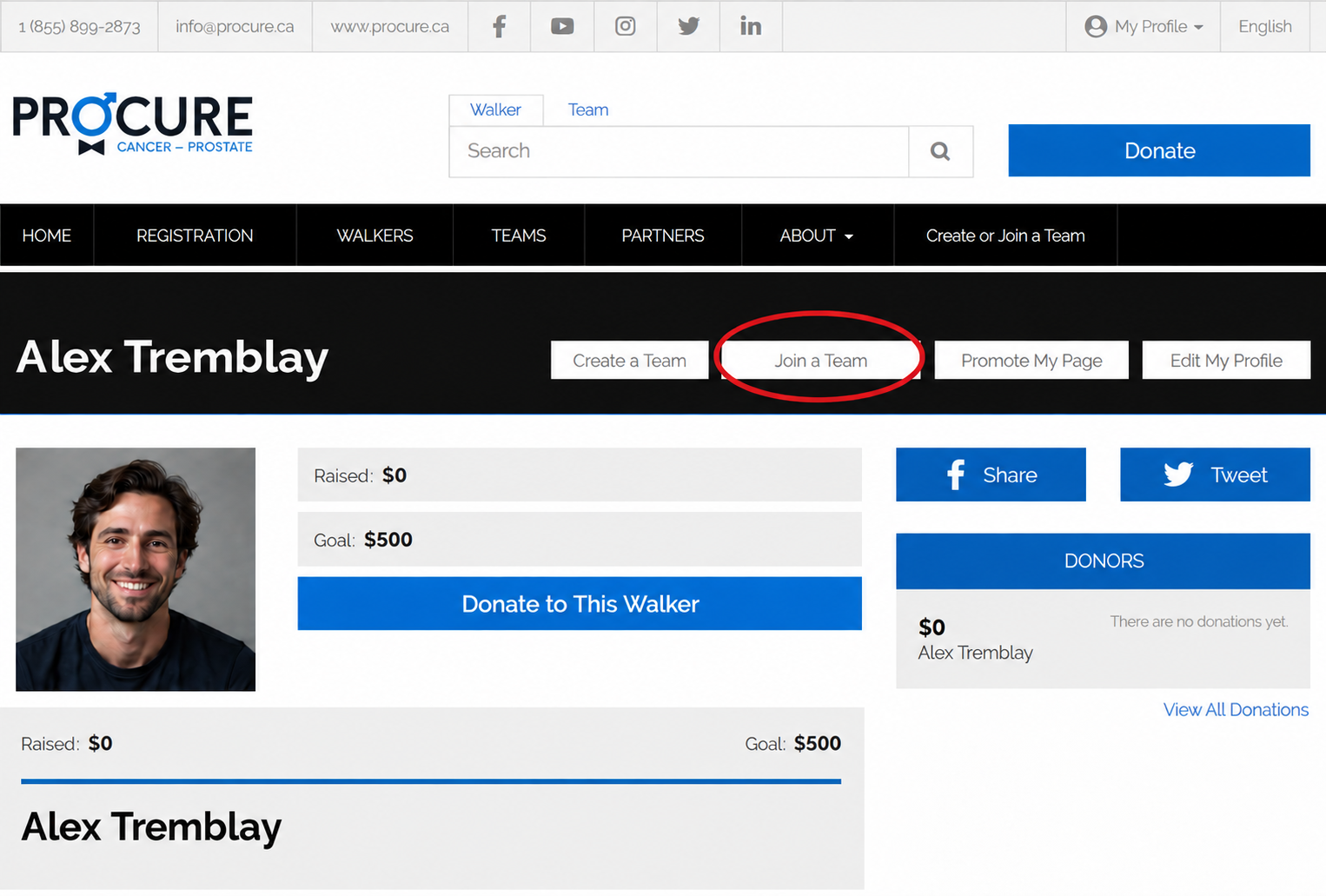
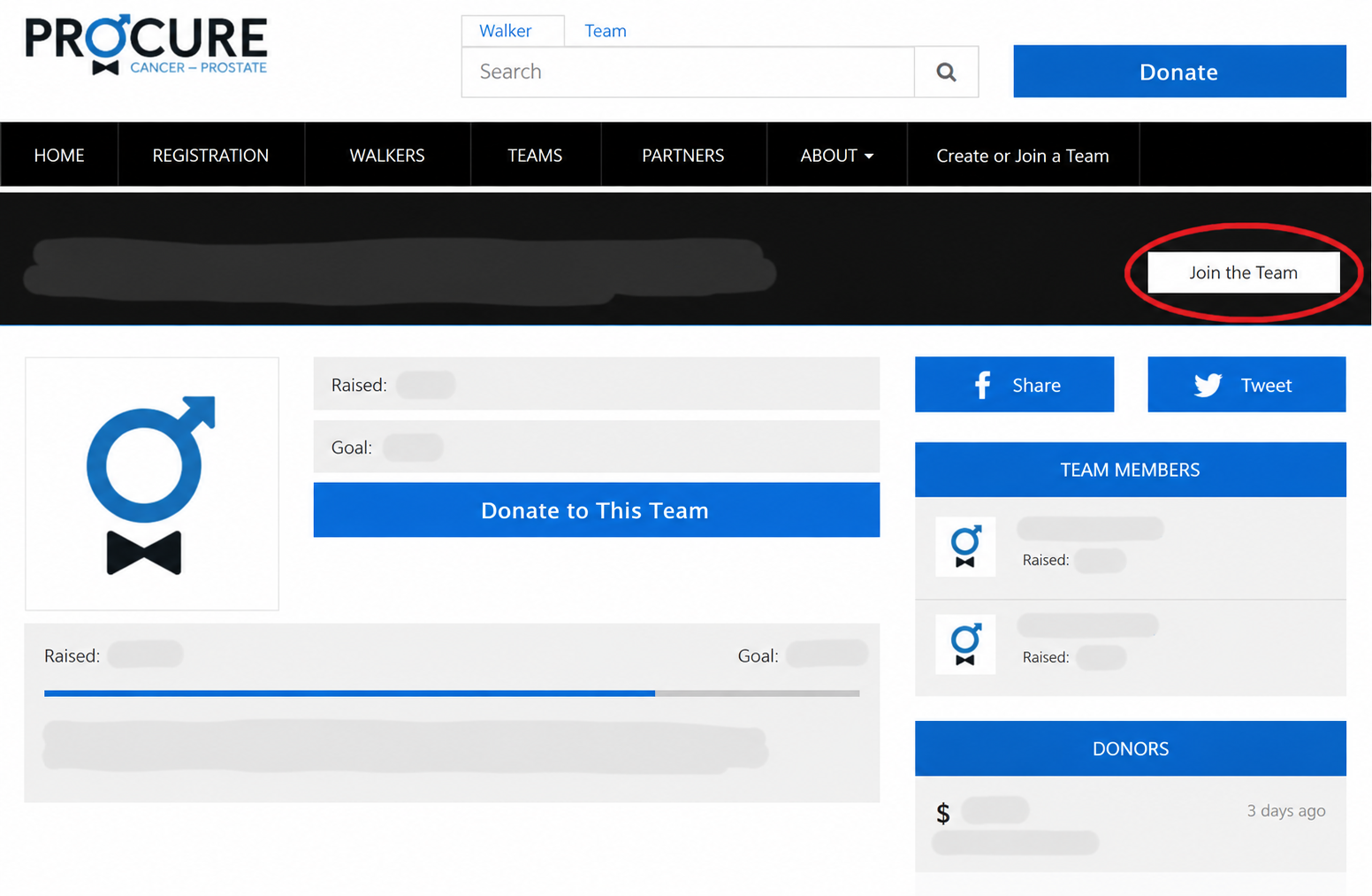
- Click on the name of the team you would like to join in the list of existing teams.
- Click the “Join the team” button.
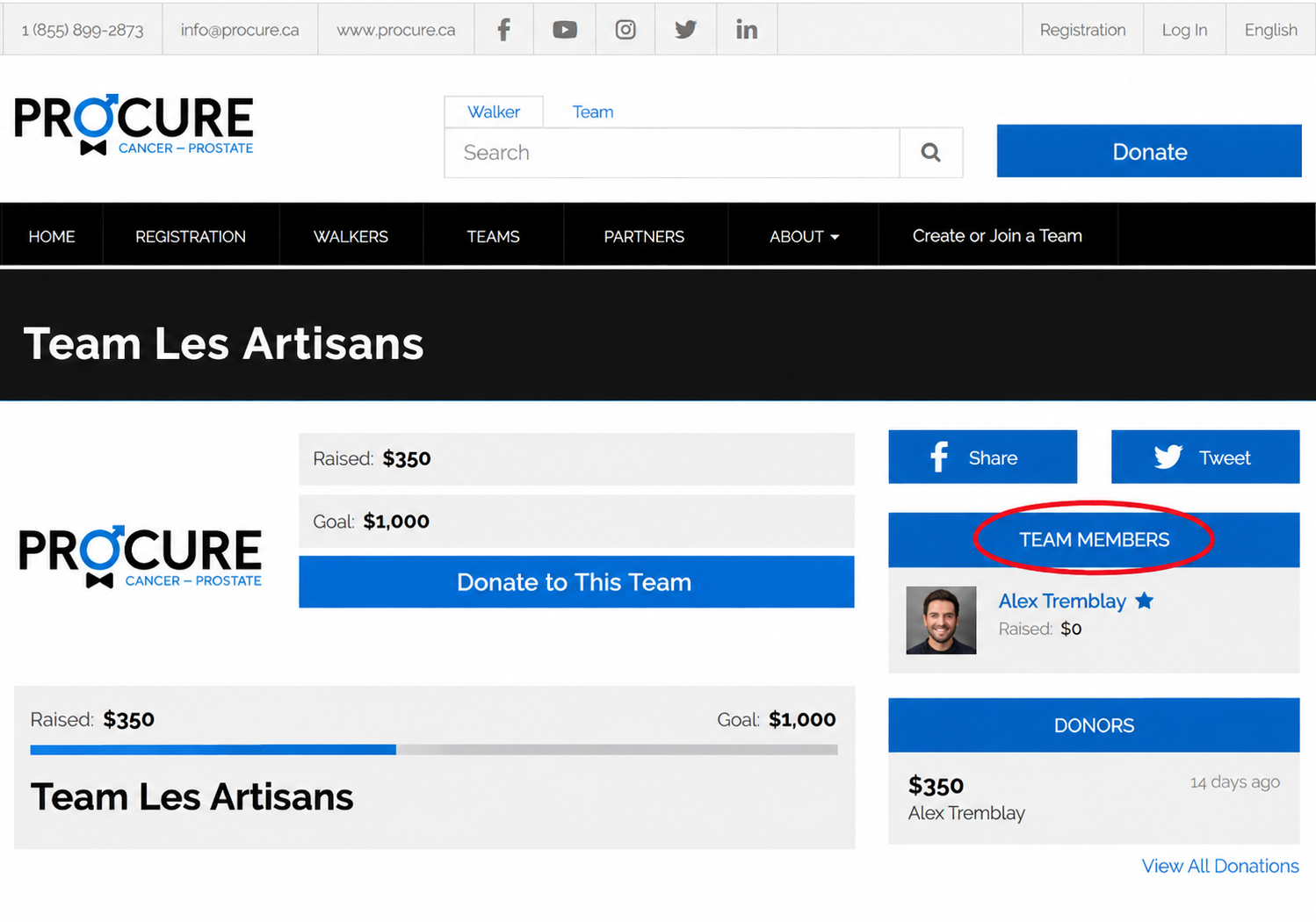
- You can confirm that you have successfully joined the team by checking the list of teams and clicking on your team’s name. Your name will appear among the team members.
PLEASE NOTE: The team must first have a CAPTAIN before it can accept other members. If you do not see the “Join this team” button on the page of the team you would like to join, please contact us at info@procure.ca so we can assist you.
Ambassadors, make your campaign shine
Whether you are participating as an individual or on behalf of a company, consult our guide for all the information and tools you need to support your participation in Bowvember.
If you experience any technical issues or have any questions, please contact us at info@procure.ca. We will be happy to help!